Guides
Instagram Business vs Creator accounts for DM automation

Both Instagram Business and Creator accounts can use ReplyMagnet’s comment and DM integration. A Personal account cannot. If you already have a working professional account that suits your public identity, you do not need to change its type just to start automating replies.
Published by ReplyMagnet · Last updated
For a new professional profile, choose Creator when people primarily follow your individual work and voice. Choose Business when the profile represents a company, shop or service brand. Treat that as a practical starting point, then check any specific Instagram features and connected tools you depend on.
The decision is easier when you separate three questions: which account represents you, how the tool connects, and what your campaign needs to deliver.
Business, Creator and Personal: the essential comparison
“Professional” is the umbrella category that includes Business and Creator. It is easy to read a tutorial mentioning a “business account” and assume every automation tool excludes creators. ReplyMagnet’s Instagram connection documentation explicitly supports both.
Account type
Business
- ReplyMagnet Instagram integration
- Supported, subject to authorization and campaign eligibility
- Useful starting point for your decision
- A profile representing a shop, company, studio or service brand
Account type
Creator
- ReplyMagnet Instagram integration
- Supported, subject to authorization and campaign eligibility
- Useful starting point for your decision
- A profile built around an individual’s work, teaching, art or public voice
Account type
Personal
- ReplyMagnet Instagram integration
- Not supported by this integration
- Useful starting point for your decision
- Personal use; decide whether a separate professional profile would suit your public work
The examples in the final column are editorial guidance, rather than a rule that every photographer must choose Creator or every seller must choose Business. A person can run a company; a creator can sell products. Your revenue model alone does not settle the choice.
Already using Business or Creator? Write down the reason you are considering a switch. “I thought automation required the other type” can come off the list for ReplyMagnet. A verified requirement from another tool you rely on deserves a closer look.
Choose from the profile’s purpose
Start with the name people expect to hear from
Imagine the first automated message arriving. Is the reader expecting a response from an individual, or from an organization?
A language teacher whose lessons, opinions and reputation are the reason people follow may find Creator a sensible fit. A language school serving customers through several teachers may find Business clearer. Both could offer a lesson worksheet through the same basic comment-to-DM idea.
Write one sentence: “This profile represents ___, and people come here for ___.” That sentence often resolves more uncertainty than a long list of features you may never use.
List the tools you genuinely need
Make a short list of the Instagram features and integrations involved in your current work. Include a publishing tool, advertising workflow or other service only if you actually use it or have a concrete plan to use it.
Check each provider’s current requirements. A tool may support a narrower set of accounts than Meta’s platform allows. If a provider requires Business, that is a requirement for that provider’s implementation; it does not establish that Creator accounts cannot use DM automation elsewhere.
For a must-have native Instagram feature, check its availability in your own account and current official help. Avoid choosing from a comparison chart that promises every feature in every country and account.
Keep a suitable working account
Changing a connected profile adds a verification task. Before doing it, ask what problem the change will solve and how you will confirm the result.
If the answer is a general hope for more reach or better DM delivery, you do not yet have a concrete operational reason. If the answer is a documented requirement for a tool you need, plan the change and subsequent tests together.
Once the account choice is clear, start a ReplyMagnet trial with one resource and one simple request.
Why some tutorials require a Facebook Page
Account type and authorization route are separate decisions. Meta documents two routes that help explain apparently conflicting instructions:
Connection route
Instagram API with Instagram Login
- Professional accounts
- Business and Creator
- Linked Facebook Page
- Not required by this API setup
Connection route
Instagram API with Facebook Login
- Professional accounts
- Business and Creator
- Linked Facebook Page
- Required by this API setup
Sources: Meta’s official Instagram Login documentation and Instagram API documentation covering Facebook Login.
The tool determines which route it implements. You generally choose an integration and follow its connection process; you are not selecting an API inside Instagram just by changing from Creator to Business.
ReplyMagnet’s published connection steps send you through Instagram’s permission screen. Your Instagram credentials are entered there, and ReplyMagnet receives an access token after authorization. Follow the current ReplyMagnet instructions rather than adding a Facebook Page solely because a different service’s tutorial asks for one.
If a connection fails, record the exact message before changing account type. A wrong signed-in handle, missing permission, account-slot limit and unsupported Personal profile call for different checks. Switching between two supported professional types is a poor substitute for identifying the stated problem.
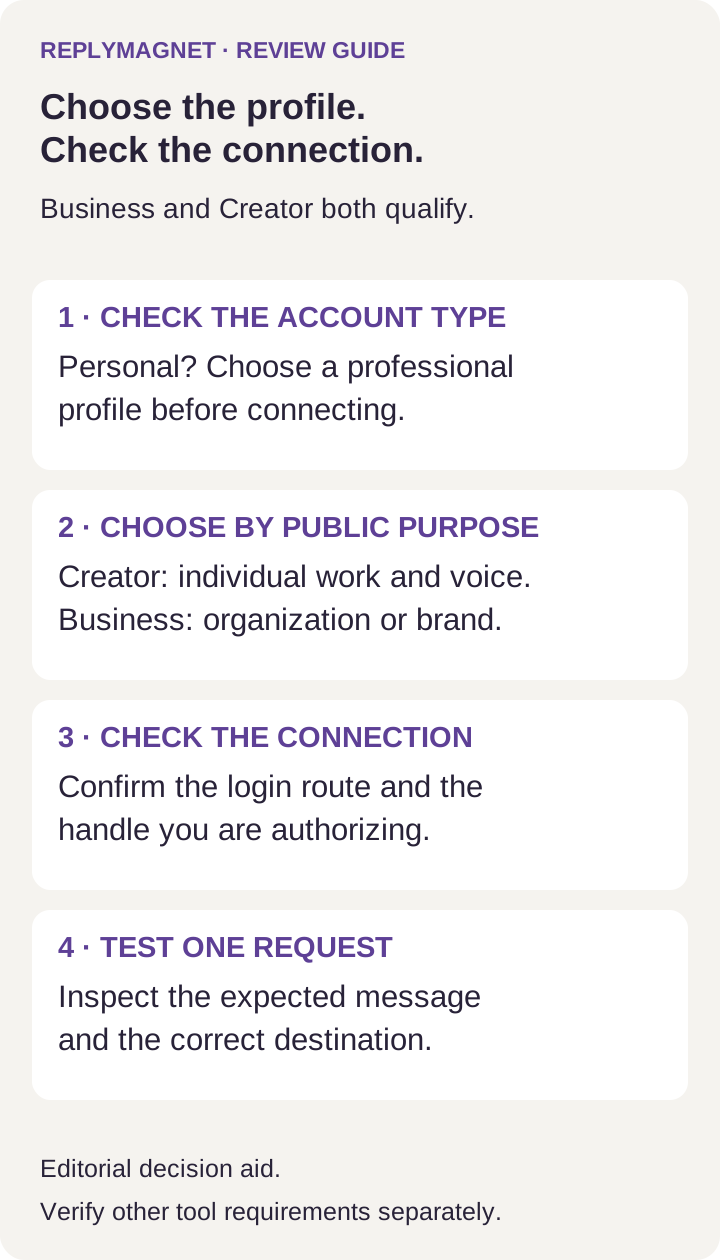
Use account purpose to choose a professional type, then verify the connection separately. This is a decision aid, not an Instagram settings screenshot.
Fill in this account-choice worksheet
Use one row per question before creating a new professional profile or changing an existing one. Keep the answers with your campaign brief so the next person helping you can understand the choice.
Question
Which exact handle owns the posts?
- Your answer
- @handle
- What to do with it
- Use this handle when checking authorization and campaign scope
Question
What is its current account type?
- Your answer
- Personal, Creator or Business
- What to do with it
- Resolve Personal eligibility before attempting this integration
Question
Who does the profile represent?
- Your answer
- Named person or organization
- What to do with it
- Use that identity as your starting point for Creator or Business
Question
Which other tool or native feature is essential?
- Your answer
- Name and requirement, or none
- What to do with it
- Verify it directly instead of assuming every integration works alike
Question
Who can authorize the account?
- Your answer
- Responsible owner or authorized operator
- What to do with it
- Have the right person complete the permission flow
Question
What should the first request deliver?
- Your answer
- One named resource or destination
- What to do with it
- Keep the first campaign narrow enough to inspect end to end
Question
What evidence will show it works?
- Your answer
- Expected reply, DM and destination
- What to do with it
- Test those outcomes before promoting the offer
A useful completed decision might read: “Keep @marateaches as Creator. It represents Mara’s teaching, ReplyMagnet supports it, and no required integration needs a change. Test the WORDS comment on the selected lesson post and confirm the vocabulary PDF opens.”
An incomplete decision reads: “Switch to Business because it sounds more professional.” Add the missing requirement before changing anything.
Four realistic account-choice examples
These are fictional planning examples, not customer stories or measured results.
An independent educator selling a workbook
Mara teaches through her own name and already has a Creator account. She wants a comment containing WORDS to receive her sample vocabulary workbook.
Selling a workbook does not, by itself, require Mara to change to Business for ReplyMagnet. Her next decisions are the correct post, a clear request and the resource she promised. Keeping her existing type removes an unnecessary change from the launch.
Her decision record: keep Creator, connect the intended handle, and test the sample workbook delivery before publishing the offer widely.
A homeware shop with a founder on camera
A shop’s founder appears in most Reels, but customers follow the shop name, ask product questions and expect the business to answer. Business is a reasonable starting choice for that profile even though one person is its familiar face.
The proposed campaign offers a care guide. The team should decide who answers when someone asks a question beyond the guide. Account type cannot assign that responsibility for them.
Their decision record: use Business for the shop identity; check the tool requirements attached to any existing retail workflow separately.
A consultant with a personal profile and a public practice
A consultant wants to promote a workshop but also uses Instagram for personal life. Before converting the existing profile, they should review Instagram’s current visibility and profile-display information and decide which content belongs in the public practice.
A separate professional profile may provide a clearer boundary. It also means building and maintaining another audience, so it is a choice with real work attached. Decide where the workshop audience should follow and which handle will own the campaign before selecting an automation plan.
Their decision record: settle the public profile first, then choose Creator or Business based on how the practice is presented.
An agency connecting a client’s existing account
The client already has a Business profile that fits its brand. The agency should not convert it to Creator merely because a generic guide associates creators with better engagement.
Identify the authorized person, the exact handle and the client’s existing integrations. Record the reason for any proposed change so the client can evaluate it. If no required workflow needs a different type, keep the current choice and verify the connection.
For capacity across clients, use the separate multiple-account guide. That is a subscription and account-slot question.
Check these things before changing account type
Treat a change as a small maintenance task. Record the current type, connected services and active offers. Choose a time when you can verify the account afterward, rather than changing it just before a heavily promoted post.
Afterward, inspect the connected handle and any permission or reconnection prompt. If you disconnect ReplyMagnet, its documentation says campaigns tied to that account pause. Reconnecting should be followed by a review of saved campaign settings and a fresh test.
For a comment campaign, use another account to make the test request; ReplyMagnet’s campaign guide says comments from the connected account itself are ignored. Check the public reply, DM and final destination, then note what you observed. This guide does not claim that a test has already been performed on your account.
If you are ready to connect, follow the Instagram connection guide, then return to your worksheet’s expected result.
What this choice does not decide
Music rights. Instagram’s licensed-music guidance describes its library as intended for personal, non-commercial use, with access restrictions for certain business accounts, posts and regions. Changing to Creator is not proof that a track is cleared for a commercial campaign. Check the rights for the intended use.
Reach. This guide makes no promise that either type will increase distribution. Choose from a documented requirement and your profile’s purpose rather than an expected algorithm advantage.
Permission to send messages. A professional account still needs an eligible interaction and must follow the relevant messaging rules. It is not permission to send unsolicited promotional DMs. The Instagram DM automation rules guide covers those boundaries.
Your ReplyMagnet subscription. Business and Creator describe Instagram account types. Starter, Basic, Pro and Agency describe ReplyMagnet plans. Compare the features and capacity you need separately.
Trial and plan details to check
As checked on 20 October 2026, ReplyMagnet offers new workspaces 30 days of Pro features, no card required, with 1,000 engagements. That trial allowance is distinct from paid Pro’s monthly volume.
The published monthly prices are Starter $0, Basic $9, Pro $29 and Agency $79. Use the current plans and billing page for feature, usage and connected-account limits, and check the final billing details before subscribing.
For this decision, the important point is simple: choose your professional Instagram identity first, then select a plan around the campaign you intend to run.
Make the choice, then test the offer
Use the account type that fits the public work you are doing, confirm any must-have integration requirements, and write down the expected result of one campaign. Both professional types can get you to that test.
Start your 30-day ReplyMagnet trial when the account, resource and first request are ready.
Common questions
Can an Instagram Creator account automate DMs?
Yes. ReplyMagnet supports Creator and Business accounts for its Instagram comment and message integration. The correct account must be authorized, and the campaign still needs to meet the applicable messaging conditions.
Do I need a Business account to use ReplyMagnet?
You need a supported professional account. Creator also qualifies. If your Creator profile already fits your work, an automation-only reason to switch is unnecessary.
Can I automate a Personal Instagram account?
A Personal profile cannot connect to this ReplyMagnet integration. Decide whether to change the intended public profile to a professional type or keep personal activity separate before attempting to connect.
Do all Instagram DM tools require a Facebook Page?
No. Meta’s Instagram Login API setup does not require a linked Page; its Facebook Login setup does. Follow the requirements of the tool and connection route you are actually using.
Should I switch account type to fix a failed connection?
Start with the recorded error. An unsupported Personal profile needs a different response from a wrong handle, missing permission or account limit. If you already use Business or Creator, check the relevant connection issue before changing type.
Will switching to Business give me more automated messages?
ReplyMagnet’s published allowance depends on the workspace plan. Switching an Instagram account’s type does not purchase additional ReplyMagnet capacity or remove Instagram’s messaging requirements.
Keep reading
- Connect Instagram to ReplyMagnet: fix connection errors
- Instagram DM Automation for Multiple Accounts