Guides
When a story reply asks for something you can send
Stories move quickly. If a viewer asks for the list, make the reply useful while the story is still fresh in their mind.
Published by ReplyMagnet · Last updated
A reply is different from a view
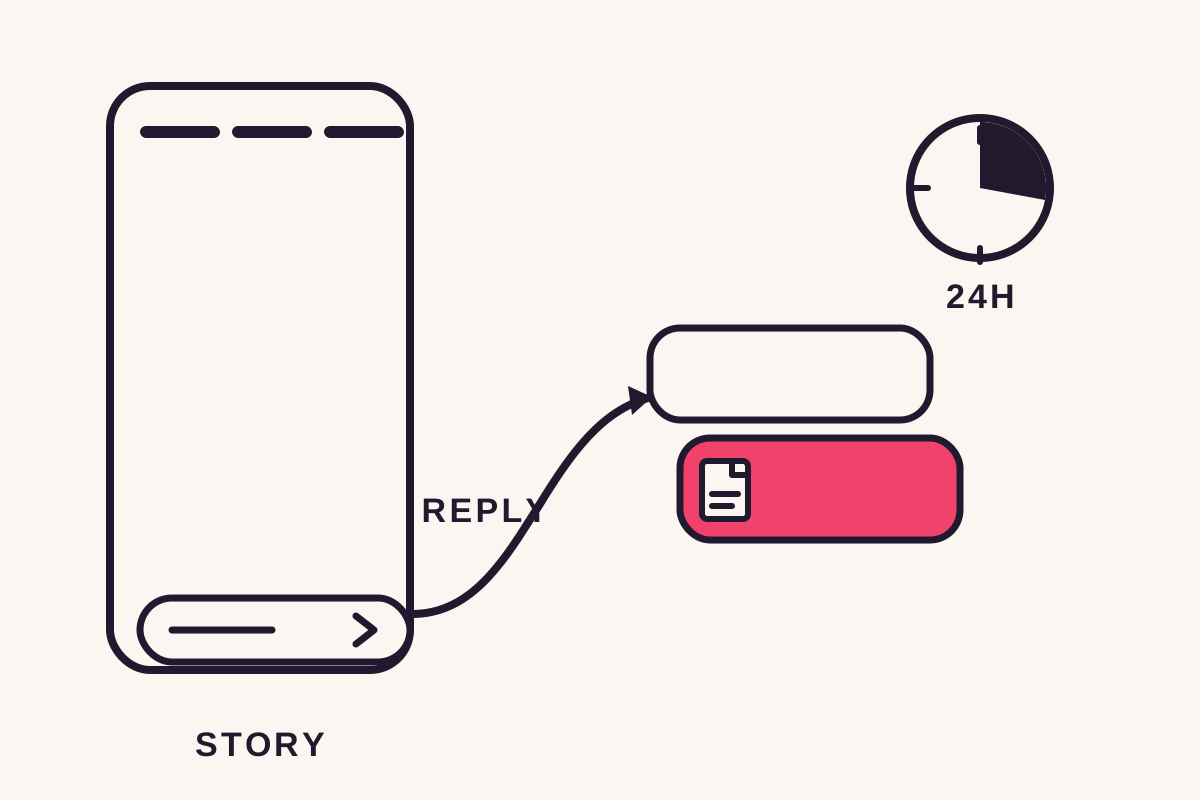
Story reply automation starts from a qualifying reply, not from a story view. Because a story reply already lands in your DM inbox, ReplyMagnet answers in that same private thread with no public reply step.
A story reply never becomes a public comment. It arrives as a direct message, straight into your inbox thread with that person, the moment they tap reply. A story reply trigger watches those messages, and when one contains the keyword you set, it answers in the same thread with the file or link you attached.
That's the real difference from a feed post. A comment on a post is public, so the automation posts a public reply first, then a DM. A story reply is already private, so there is nothing to answer publicly, and the automation goes straight to the DM thread the person opened by replying.
A story might show the books discussed in a podcast and say, ‘Reply BOOKS for the reading list.’ The viewer's reply is the specific request; watching the story without replying is not.
Keep the invitation readable and name the resource. A vague ‘DM me’ leaves someone to guess what to ask for, when you could just tell them.
Set up the resource in ReplyMagnet before publishing the invitation.
Setting up a story trigger
Story triggers are account-wide, not tied to one post, because a story disappears after 24 hours and there's nothing permanent to attach a campaign to. You set a keyword and a resource once, and it answers replies on every story.
A feed campaign points at a specific post. A story campaign can't, since a story is gone within a day, so a story trigger watches every story reply on the connected account instead.
Setting one up takes a few steps:
- Connect a Business or Creator Instagram account; personal accounts can't run automation.
- Choose the story-reply trigger, which applies account-wide rather than to one story.
- Set the keyword to watch for in story replies.
- Attach the file or link to deliver and write the DM text.
- Publish a story naming the keyword, then test with a reply from a second account.
Before you publish the story, check:
- The account is a Business or Creator account, connected in ReplyMagnet.
- The keyword is short and easy to type from a phone.
- The file or link is attached and the DM text is written.
- The engagement allowance has room for the story's expected reply volume.
It runs on Instagram's official Graph API, the same interface Meta reviews through App Review, not a script that logs into the app on your behalf. Instagram's terms don't allow the latter.
The free plan includes a 30-day trial, 1,000 engagements and one live campaign, enough to arm a keyword and watch it fire before deciding on a paid plan.
Write for the private conversation
A story reply already arrives in messaging, so the delivered reply should acknowledge the requested item directly. It doesn't need to reference a public comment thread.
For the BOOKS example: ‘Here's the reading list from today's episode, including the two titles mentioned at the end.’
Make the document title recognisable even after the story disappears. A file named only ‘Today's picks’ becomes confusing in an older conversation. Include the episode name or date where useful.
If the link opens a form, explain the requirement in the story or reply. For a public reading list, direct delivery may be enough.
If the resource sits behind an email gate, say so in the reply so the extra step isn't a surprise. A public reading list can skip the gate entirely.
Keep the DM short enough to read on a phone in one glance. A long paragraph delays the moment the file or link actually appears.
Treat the 24-hour window as a real constraint
Story replies use Instagram's standard 24-hour messaging window, shorter than a feed comment's 7 days. Past that window Meta's API rejects the message, so a delayed reply is marked expired rather than sent.
Every trigger type has a window set by Meta, not by ReplyMagnet, and a story reply gets 24 hours from the moment it's sent. A feed comment gets 7 days, because it rides a longer private-reply window instead of the standard messaging window a story reply uses.
The gap matters most when a campaign is over its monthly engagement allowance and a reply is parked in the overflow queue. The queue holds the request and releases it oldest first as headroom opens, on every plan, but it can't extend the platform's window.
If the wait runs past 24 hours, the send is marked expired instead of attempted, because a late one would be rejected regardless. The clock only restarts if the person replies again, so an expired request needs a fresh reply to try again.
Queued replies also release in the order they arrived, not by campaign type, so a story reply can sit behind older parked feed replies if the same workspace is over its allowance.
Check your allowance before a time-sensitive story. ReplyMagnet's plans range from 1,000 engagements on the free plan up to 400,000 on the $79 plan, and a queue can absorb a burst of replies, just not a closed window.
Story vs feed triggers
A story reply is private, so there's no public reply, and its trigger applies to the whole account instead of one post. Its messaging window is 24 hours instead of a feed comment's 7 days.
Everything else about the two triggers works the same way. A keyword still fires the automation, the DM still carries a tracked link served from ReplyMagnet's own domain, and every step is still logged as its own event.
If you already run a feed campaign, a story campaign is the same tool pointed at a different surface. The table below lines up where the two diverge.
Story reply vs feed comment triggers
Aspect
Public reply
- Story reply
- None (already a DM)
- Feed comment
- Posted under the comment
Aspect
Messaging window
- Story reply
- 24 hours
- Feed comment
- 7 days
Aspect
Trigger scope
- Story reply
- Account-wide
- Feed comment
- One post, several, or all
Aspect
Delivery
- Story reply
- DM with the file link
- Feed comment
- DM with the file link
Test the story route itself
Test by replying to the story from a separate account. A successful feed-comment test doesn't verify the story trigger or the message a viewer will actually receive.
- Configure the intended story-reply trigger and resource.
- Publish the story invitation with the matching keyword.
- Reply to the story from a separate account.
- Open the delivered resource and check that any captured contact appears where expected.
- Confirm the DM lands in the same thread the story reply opened, not a separate conversation, which is what tells you the automation matched the right event.
Also send a reply that doesn't include the keyword. A reaction or personal message shouldn't turn into a download request on its own.
When the offer expires, pause or revise the campaign and resource. Older conversations may still hold the link, so keep the destination's availability accurate.
Common questions
Can I message everyone who viewed my story?
No. Story reply automation responds to qualifying replies, not to story views, so viewing a story alone never triggers resource delivery.
Do I need to write a public reply for stories?
No. A story reply arrives as a direct message, not a public comment, so there's nothing to reply to publicly, and the automation answers straight into the DM thread the person opened.
How long do I have to reply to a story mention?
24 hours, counted from the reply. That's Instagram's standard messaging window, shorter than the 7 days a feed comment allows, and a late reply is marked expired rather than sent.
Do stories use keywords the same way posts do?
Yes. You set a keyword, and any story reply containing it fires the DM regardless of which story it came from, since the trigger watches the whole account rather than one post.
What if the story promotes something happening today?
Check your engagement allowance and delivery while the promotion runs. A queued reply that arrives after the event, or past the 24-hour window, may no longer be useful or eligible.