Guides
The download should be the easy part
A good worksheet can still disappoint if the link is broken, the file is unreadable on a phone or the form asks for details nobody expected.
Published by ReplyMagnet · Last updated
What counts as a lead magnet on Instagram
On Instagram, a lead magnet is the resource attached to a campaign: a PDF up to 25 MB on every plan, or an external link on the $9 plan and above. Either is delivered as a tracked link inside the DM, not as an attachment.
A lead magnet here means a checklist, a swipe file, a pricing sheet or a short workbook: the label does not matter to the pipeline, only the format. Upload a PDF on the Assets page once and attach it to any campaign, so the same five-page guide can answer three different trigger keywords across three posts.
Every plan hosts PDFs up to 25 MB. A short checklist that answers one question reads better on a phone than a scanned, image-heavy guide near that ceiling.
If the offer lives outside a PDF, add a link asset instead. Link assets are available from $9 monthly and open the destination you configure:
- A Google Drive, Dropbox or Notion page
- A Calendly booking page for an agreed call
- A YouTube video or a course lesson
- A discount page on your own site
Finish the resource before promoting it
An Instagram lead magnet should solve the specific problem promised by the post. Test the final file on a phone before adding its delivery link to a campaign.
Open the final file at ordinary phone size and run through a short checklist:
- Can you read the worksheet labels without constant zooming?
- Do the links inside the document work?
- Is a version date visible if the information changes?
- Does the first page deliver what the caption promised, without a long generic introduction?
A one-page checklist can be more useful than a long document. For a recipe, include ingredients and quantities. For a buyer's guide, include the decisions the reader needs to make.
ReplyMagnet's asset documentation covers uploads, replacements and the 25 MB limit.
Why the DM carries a link, not an attachment
Every DM the pipeline sends carries text and a link, never a binary file. A link can be tracked, corrected after sending and placed behind a capture step in ways an attachment cannot.
Instagram's messaging endpoint is built for text, not for handing over a file the way an email attachment does. The DM reads like a normal message: a line or two you wrote, then the title of the resource and a tracked download link underneath.
The link buys three things an attachment cannot: swap the file for future requests, see who opened it, and place it behind an email or phone step. To the reader it looks the same either way: tap, get the file.
The link is short and lives on ReplyMagnet's domain rather than a raw storage URL. It routes to /d/ for a direct download, or to /g/ first when the campaign asks for an email or phone number before releasing the file.
Delivery runs on Instagram's official messaging API through an app that has passed Meta App Review, which is why the connected profile must be a Business or Creator account.
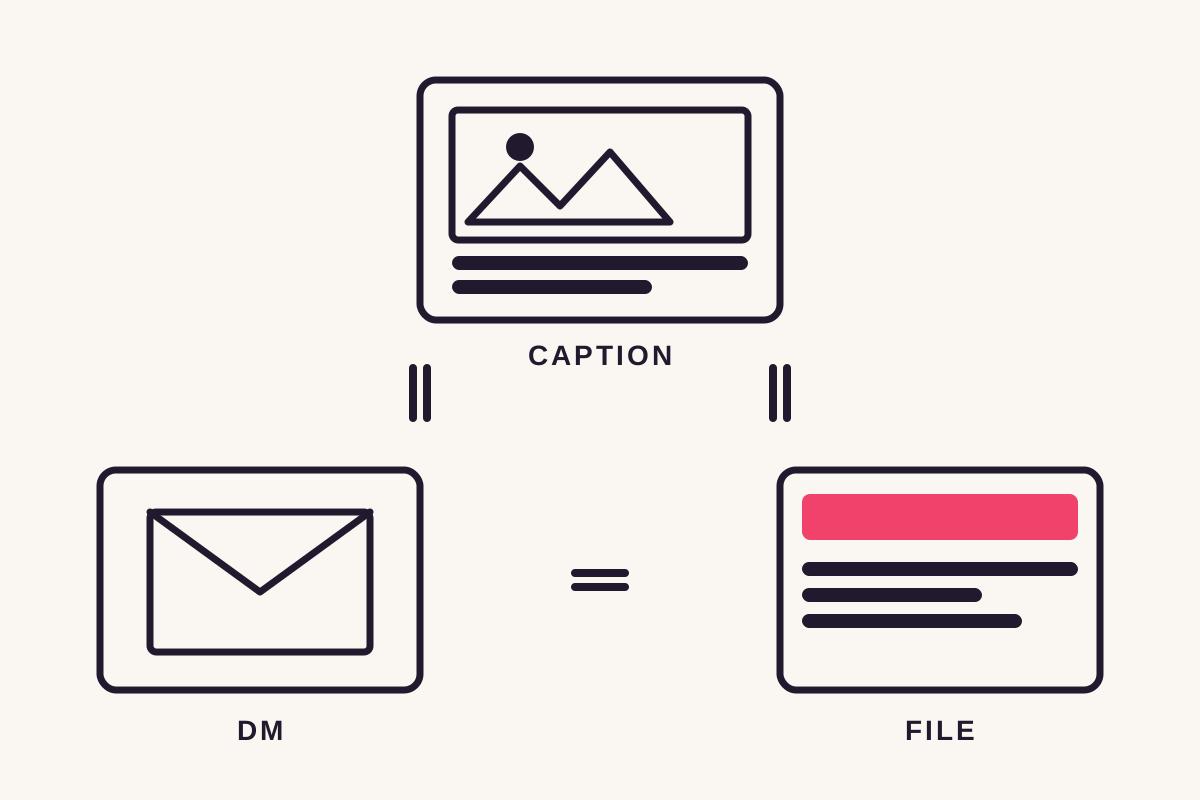
Make the caption, DM and file agree
The caption names the offer, the DM explains where to open it and the resource fulfils the promise. Use the same name at all three stages.
For example:
- Caption: ‘Comment PACKING for the two-page weekend checklist.’
- Public reply: ‘Sent you the checklist by DM.’
- DM: ‘Here’s the weekend packing checklist. Open the link to download the PDF.’
If the PDF is called ‘Travel Starter Kit v4,’ rename it or explain that title. Small mismatches can make a legitimate link feel unexpected.
Avoid adding a second unrelated offer before the download. Give the reader what they requested first. The keyword guide helps you choose a clear request word.
Ask for an email only when you can explain why
A capture gate should disclose the intended follow-up before asking for details. Direct delivery is appropriate when access to the resource is the entire offer.
The gate is a single toggle per field: email, phone, or both in one form. Turn either on and the link in the DM opens a short capture page instead of the file: a headline, one or two fields and a download button.
The email gate sits in front of the download on every plan. There is no option to deliver first and ask afterwards, so decide before launch. Some rules that hold up:
- For a lesson series sent over several days, the email is part of the delivery. Ask for it.
- For a restaurant's opening hours or a public reference sheet, a form is probably unnecessary.
- If the download also subscribes someone to updates, say so in the offer and near the form.
- If you have no follow-up planned for the list, leave the gate off. An address collected and never used costs downloads and shows nothing for it.
Email capture is free on every plan. Phone capture starts at $9 monthly, and a phone field deserves a specific purpose, such as an agreed callback, rather than being enabled by default.
If people reach the form but hesitate or fail to finish, use the lead capture form review to audit requirements and test the mobile handoff.
Hosting, tracking and when a link expires
The PDF streams through ReplyMagnet's own domain, and the first open is logged as its own event, separate from the DM being sent. Delivered and opened stay two different numbers.
Two events are easy to conflate. ‘Delivered’ fires when Instagram's API confirms the DM was sent. ‘Link click’ fires only when someone opens the download page, counted once per link. A DM can sit unopened in a busy inbox, so the dashboard never collapses the two.
Delivered links expire 30 days after they are minted, long enough for a delayed open but not indefinite. A share link, the kind you post yourself outside the DM flow, does not expire.
Overflow works the same on every plan: a request past the monthly quota waits in the overflow queue and is released when quota returns. Instagram's messaging window still applies (seven days after a comment, 24 hours after a story reply), so a queued request that outlives it expires rather than sending late.
Event
Delivered
- What it confirms
- Instagram accepted the DM carrying the link
- When it fires
- On the API's confirmation of the send
Event
Link click
- What it confirms
- The reader opened the download page
- When it fires
- Once per link, on the first open
Event
Email or phone captured
- What it confirms
- The reader completed the capture form
- When it fires
- On form submission, before the file is released
Event
DM queued
- What it confirms
- The request is waiting because the monthly quota is used up
- When it fires
- When the overflow queue holds the DM
Event
DM expired
- What it confirms
- A queued DM could not be sent inside Instagram's messaging window
- When it fires
- When the window closes before quota returns
Where the lead ends up
A lead always lands in the Leads tab first. Plans differ in how far back you can look and whether the list leaves the app: the free plan shows the last 30 days, and paid plans keep full history and add export and sync.
The free plan keeps the last 30 days of leads visible and stops there, with no export button. Older leads are hidden rather than deleted, so an upgrade reveals them.
The $9 plan keeps full history and adds CSV export, enough to own your list. It also adds Mailchimp or Kit sync, so a captured email lands in your list within seconds, tagged with the campaign it came from.
The $29 plan adds outbound webhooks for Zapier, Make or your own endpoint, if you would rather pipe the raw event somewhere else.
What gets recorded never changes with the plan. The difference is reach: how far back you can see, and how far the data travels on its own.
Plan
Free ($0)
- Lead history in-app
- Last 30 days
- Export
- None
- Sync
- None
Plan
$9 monthly
- Lead history in-app
- Full history
- Export
- CSV
- Sync
- Mailchimp or Kit
Plan
$29 monthly
- Lead history in-app
- Full history
- Export
- CSV
- Sync
- Mailchimp or Kit, plus outbound webhooks
Plan
$79 monthly
- Lead history in-app
- Full history
- Export
- CSV
- Sync
- Mailchimp or Kit, plus outbound webhooks
Follow one test request all the way through
Test the comment, DM, resource and captured record from an account other than the connected profile. A public reply alone doesn't prove the download works.
- Upload the final PDF, or add the link, on the Assets page.
- Start a campaign: choose the post and its keyword, attach the asset and decide whether to gate.
- Write the DM text. ReplyMagnet appends the tracked link automatically.
- Launch, then request the resource from a separate account. The pipeline ignores comments from the connected account itself.
- Open the link, complete any capture step and download the file. Then check the Leads tab and any connected email destination.
If the form works but the file fails, fix delivery before promoting the post. If the file works but the email does not reach your list, inspect the connection separately.
Build a free delivery campaign once the resource is ready.
Common mistakes
The most common failures are not technical: a keyword nobody can spell, a file that does not match what the reply promised, and a campaign launched without a single test request.
- A trigger word that is hard to type on a phone.
SENDMEYOURFREEGUIDEPLEASElooks fine to the person who invented it and terrible to everyone else. One short word wins. - Mismatched expectations. If the public reply says ‘guide’ and the file is a discount sheet, or the DM promises ‘the checklist’ and delivers a forty-page ebook, trust drops even when the file opens.
- Skipping the test request. A campaign is live the instant you launch it, so comment the keyword from a second account before a stranger does.
- A gate with no plan behind it. Decide what happens to the list, a welcome note or a real follow-up, before you ask for the address.
Keep old posts from distributing old information
Review the resource whenever its prices, dates or instructions change. Pause an expired offer rather than leaving an old post to promise something unavailable.
Make a small maintenance note for each offer:
- Owner
- Resource version and date
- Next review date
- Which campaigns and posts use it
A seasonal checklist may only need a periodic check; a property brochure may need attention as soon as availability changes. Replacing an asset changes future deliveries only, so a corrected file never rewrites links already sent.
After replacing an asset or destination, repeat the phone test. Also check links inside the document, which can become outdated even when the PDF itself still downloads.
For failed or delayed requests, consult campaign activity. A request can expire if quota or platform restrictions prevent delivery within the allowed window.
Common questions
Can Instagram DMs contain attachments?
Not through this pipeline. Every DM carries text and a tracked link, never a binary file, so the resource can be swapped for future requests, tracked on open and placed behind a capture step.
Can I deliver a resource without collecting an email?
Yes. Leave contact gates off for direct access. Use capture only when the offer explains the purpose of collecting the details.
Should I ask for the email before or after delivery?
Only before is possible. Turning on the email or phone gate holds the download page until the field is filled, and there is no delivered-then-asked flow. If that costs more downloads than the list is worth, leave the gate off and let the comment be the opt-in.
How do I know who downloaded?
Two events answer two questions: ‘delivered’ confirms the DM landed, and ‘link click’ confirms the download page opened, logged once per link on the first click. Leads and Analytics show both, and the $9 plan and above can export the list as a CSV.
Can I deliver a Google Drive link or a video?
Yes, on the $9 plan and above, as a link asset that opens the destination you configure. Check the destination's sharing settings from another account. On the free plan, use a one-page PDF that links out.
Keep reading
- Guides
- Comment to DM on Instagram: Practical Automation Guide
- Instagram follow gates: what the check proves and when to leave it off
- Instagram lead magnet ideas people can use right away
- Get more qualified Instagram leads: a practical worksheet
- Instagram comment-to-DM for course creators: deliver a useful sample lesson
- Instagram enquiries for coaches and consultants: prepare the first call
- Instagram automation for digital products: deliver a useful preview
- Compare
- Glossary