Guides
Choose a keyword people can ask for naturally
The best keyword isn't clever. It tells the reader what to type and tells you which resource they expected to receive.
Published by ReplyMagnet · Last updated
What a trigger keyword is and how it fires
A trigger keyword is the word a commenter types under a post to request a resource, and ReplyMagnet matches it case-insensitively on whole words. Two other modes exist: any-comment mode for a post that only hands something out, and smart AI matching for requests that skip the word.
A trigger keyword is the word a commenter types to set the whole sequence off. The best ones are single words a person can thumb-type without thinking: GUIDE, PRICE, LINK. Long or clever phrases lose people who mistype them, and the match only fires on the word you set.
What happens after the match, in order:
- Someone comments the keyword on a post you selected in the campaign.
- ReplyMagnet checks the comment against the campaign's keywords, ignoring case and matching whole words only. GUIDE fires on ‘send the guide’ but not on ‘guideline’.
- A public reply goes under the comment, so the thread shows the request was answered.
- A DM carries the resource link, or the capture page if you turned on email capture.
- The download link is tracked, so you can see whether the person opened it.
If a single word feels limiting, two other modes cover the gaps. Any-comment mode responds to every comment on the post, which suits a giveaway or a post that exists only to hand something out. Smart matching, covered below, catches clear requests that never contain the word.
Platform rules that shape every keyword campaign:
- The connected account must be a Business or Creator account. Personal accounts cannot use the comment and messaging API.
- A private reply to a comment must be sent within 7 days of the comment. Once a DM conversation is open, further messages fall under Instagram's 24-hour messaging window.
- Overflow requests queue on every plan. A queued request that passes the window expires instead of sending late.
- Instagram does not allow messaging people who never interacted with you. Every DM in this flow answers a comment the person left themselves.
- ReplyMagnet runs on the Instagram Graph API that Meta reviewed through App Review, so nothing here relies on a browser extension or a shared password.
Name the thing, not the reaction
Use a keyword that names the promised resource, such as RECIPE or FLOORPLAN. Generic reactions such as YES can appear in comments that weren't asking for a download.
‘Comment RECIPE for the ingredient list’ makes sense without another explanation. ‘Comment YES’ depends much more on the surrounding conversation.
A specific word also helps later, when you review the campaign. RECIPE tells you what the person requested; YES tells you very little.
Try a keyword campaign with an existing post before changing every caption.
Keyword ideas by post type
Match the keyword to the post's job: GUIDE or PDF for a freebie, PRICE or INFO for an offer, WAITLIST for a launch, ENTER for a giveaway, LINK for a tutorial. A word that names what the commenter gets is easier to remember than a clever one.
The keyword is yours to choose, but the ones that fire best describe what the commenter receives. Match the word to the post's job, then check that the attached resource actually does that job.
Keep it to a single word where you can. A commenter types it once, on a phone, often while half-watching a reel, so GUIDE beats SENDMETHEGUIDE every time.
Trigger keyword ideas by post type
Post type
Freebie post
- What it offers
- A file or download
- Example keywords
- GUIDE, PDF, CHECKLIST, SEND
Post type
Offer or sales post
- What it offers
- Price or details
- Example keywords
- PRICE, INFO, DETAILS
Post type
Launch or waitlist post
- What it offers
- Early access to something coming
- Example keywords
- WAITLIST, EARLY, NOTIFY
Post type
Giveaway post
- What it offers
- Entry to a draw
- Example keywords
- ENTER, ME, WIN
Post type
Tutorial or how-to post
- What it offers
- The resource shown
- Example keywords
- LINK, STEPS, TEMPLATE
Post type
Resource roundup
- What it offers
- A list or set of links
- Example keywords
- LIST, LINKS, RESOURCES
A shortlist you can adapt
Choose words your audience already uses for the resource. Keep the spelling short enough to type comfortably on a phone.
These suggestions only work when the attached resource fulfils the corresponding promise.
Keywords with an explicit offer
Keyword
MENU
- Promised resource
- Current menu
- Check before using it
- Which location and service?
Keyword
SYLLABUS
- Promised resource
- Course outline
- Check before using it
- Which course or cohort?
Keyword
SIZE
- Promised resource
- Sizing chart
- Check before using it
- Which product range?
Keyword
ROUTE
- Promised resource
- Travel route notes
- Check before using it
- Which trip and dates?
Keyword
SETTINGS
- Promised resource
- Photography reference
- Check before using it
- Which camera task?
Keyword
VIEWING
- Promised resource
- Property viewing checklist
- Check before using it
- Checklist or appointment request?
Keyword
WORKSHEET
- Promised resource
- Exercise from the post
- Check before using it
- Which exercise?
Keywords to avoid
Avoid words that show up in normal comments: LOVE, THIS, YES, WOW, or your own brand name. They fire on praise that was never a request, which spends an engagement and DMs people who did not ask. Pick a word nobody types by accident.
The failure mode of a bad keyword is not that it never fires. It fires too often. A keyword like THIS or YES matches ordinary praise, so a post full of ‘love this’ comments triggers DMs to people who only meant to compliment you, and each one spends an engagement from your quota.
Run every candidate through this checklist:
- Does the word appear in ordinary praise? LOVE, THIS, YES, WOW, AMAZING and FIRE all do.
- Is it your own name or handle? People tag and mention you in comments that are not requests.
- Is it a reaction word such as ME or SAME? ME works on a giveaway post where every comment is an entry, and almost nowhere else.
- Could it appear inside a normal sentence about the post's topic? GUIDE under a post about tour guides is a poor fit.
- Is it more than one word? Phrases are mistyped more often, and a second variant is a better answer than a phrase.
- Does it name what the person gets? GUIDE, PRICE and LINK pass; CLICK and GO do not.
If a word fails two of these, choose another. On the free plan, with 1,000 engagements and one live campaign, an accidental match costs a larger share of the month than it does on a paid plan.
Variants should mean the same request
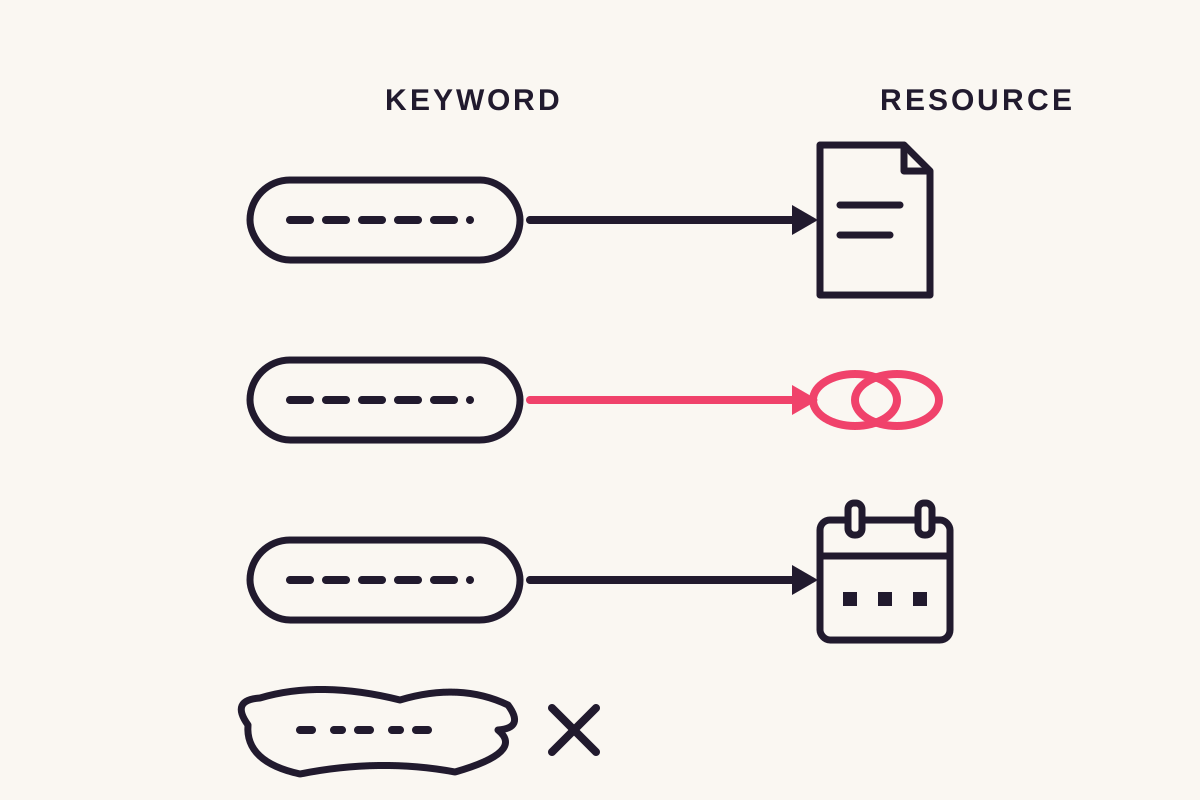
ReplyMagnet permits keyword variants within a campaign, but they all lead to the same asset. Separate campaigns are needed for different resources.
For a recipe sheet, RECIPE and INGREDIENTS might reasonably mean the same request. PRICE and FLOORPLAN probably don't, unless the promised document clearly includes both.
Don't turn one campaign into a bag of unrelated words. The system cannot infer a different attached file from each variant.
ReplyMagnet's campaign limit is up to 25 keyword variants per campaign. That is capacity, not a suggestion to use all of them. Start with the words the caption and actual requests justify.
Check how the word behaves in a sentence
ReplyMagnet's keyword matching uses whole words without regard to case. A word-boundary match reduces accidental matches inside longer words, but context still matters.
Test three comments:
- The keyword by itself: ‘GUIDE’.
- A natural request: ‘Could you send the guide?’
- An unrelated sentence containing similar text: ‘Those guidelines are helpful.’
Also inspect the selected posts. GUIDE might be appropriate on a tutorial and confusing under a discussion about tour guides. Post scope is part of keyword design. The setup guide explains that control.
When to use smart matching instead
Smart matching uses AI to catch clear requests that never contain the keyword, such as ‘how do I get this?’ under a post that offered one thing. It runs only after an exact keyword misses, is on every plan, and is capped per day by plan, failing closed so an uncertain read sends nothing.
Not everyone comments the word. Plenty type ‘can I get this please’ or ‘how do I download it’ instead, and an exact-keyword campaign never sees them. Smart matching is for exactly those comments.
An AI classifier runs only when every keyword check comes back empty, and only when a smart campaign is armed on the post. An exact keyword match never spends a check.
Which mode to arm, as a decision rule:
- Exact keyword: the caption tells people what to type and you want zero accidental matches.
- Keyword plus variants: real comments show two or three natural spellings of the same request.
- Smart matching: the post draws requests in many phrasings, and you would rather miss a few than DM the wrong people.
- Any-comment mode: every comment is a request by design, such as a giveaway entry post.
Smart matching is on every plan, with a daily cap by plan: 100 checks on the free plan, 300 on Basic, 750 on Pro and 2,000 on Agency. It fails closed, so an uncertain read sends nothing rather than DMing someone who did not ask.
The 30-day trial needs no card. That is long enough to arm a keyword campaign and a smart campaign on one post and watch both fire.
Let real requests inform the next revision
Review unmatched comments before adding variants. Add wording that clearly requests the resource, rather than broadening the campaign to answer more comments indiscriminately.
AI matching can help with requests that omit the exact word, but it has a daily allowance and should remain selective. An unrelated compliment is not a missed lead.
Keep a short note of the wording that caused confusion. Change one thing, then repeat the request and non-request tests.
Use campaign activity to inspect what happened rather than judging the keyword only by the total reply count.
Common questions
Are trigger keywords case sensitive?
No. ReplyMagnet's keyword matching is case-insensitive, so GUIDE, guide and Guide all trigger the same campaign. Matching also respects word boundaries, so GUIDE fires on ‘send the guide’ but not inside ‘guideline’.
Can I use more than one keyword in a campaign?
Yes. A campaign holds up to 25 keyword variants, and every variant delivers the same resource. Add the two or three spellings real commenters use rather than filling the list.
What if someone comments without the keyword?
An exact-keyword campaign will miss them, which is what smart AI matching is for. A classifier runs only after a keyword miss, is available on every plan with a daily cap, and fails closed on an uncertain read.
Can the same keyword run on multiple posts?
Yes. A campaign can be scoped to one post, several posts or the whole account, and the keyword fires on all of them. Keep the promised resource the same across those posts, or run separate campaigns with separate keywords.
Should I add common misspellings?
Add a misspelling when you have evidence that readers use it to request the resource. Avoid speculative variants that could match unrelated comments.