Guides
Find which Instagram requests become useful enquiries
A resource request, an email address and a booked call tell you different things. Follow the people already asking for help before deciding that you need more reach.
Published by ReplyMagnet · Last updated
Define a useful lead before counting one
A qualified Instagram lead meets your business criteria and has expressed a relevant need. A comment or captured address alone does not establish that fit.
Write down the outcome your offer is meant to support. A newsletter might want a confirmed subscriber. A consultant might want a conversation about a service they actually provide. A resource download is an earlier step in either journey.
For example, a consultant sharing a project-planning checklist could define a qualified enquiry as someone who describes a project within the consultant's service area and asks to discuss help. Someone who only wants the free checklist remains a resource reader. Both are valid responses; they should not become the same reporting number.
Choose an offer that attracts that need. If requests are plentiful but consistently unrelated to your service, revisit the promise in the post and the resource you offer. Asking for more contact fields will not necessarily improve fit.
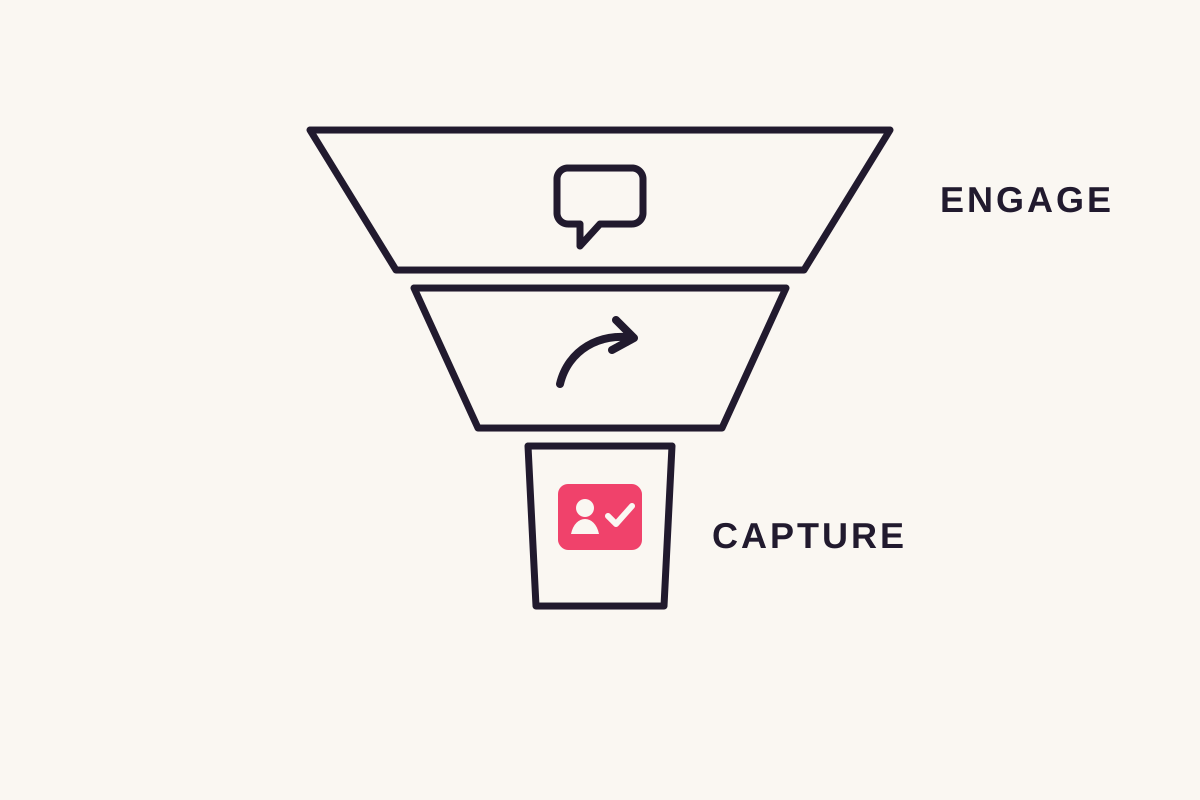
The diagram is a measurement map, not a promise that every request reaches the next stage. Use it to mark where your own evidence stops.
Separate activity from people and outcomes
Count requests, message activity, contacts and bookings separately. A repeat request is activity from a person, and a recorded send does not prove that person read the message.
ReplyMagnet's campaign analytics helps you inspect matched requests and subsequent activity. The lead list brings a person's recorded details together; it is not a new person for every comment.
Keep the selected campaign and reporting period beside every number. Different views can cover different periods, so do not divide a campaign's overall total by a recent activity count and call the result a weekly conversion rate.
Link activity also needs context. A recorded link access is not proof that someone finished reading a PDF. Where a capture form comes before resource access, do not assume resource clicks are the number of people who saw the form.
What each measure can tell you
Measure
Matched requests
- Useful interpretation
- The campaign received qualifying requests.
- What it does not prove
- That each request came from a different person.
Measure
Message activity
- Useful interpretation
- A send, queued request or failure was recorded.
- What it does not prove
- That every message was read or the resource received.
Measure
Captured contacts
- Useful interpretation
- Contact details were submitted.
- What it does not prove
- That each address is valid, qualified or subscribed to unrelated marketing.
Measure
Qualified enquiries
- Useful interpretation
- People met the rule you defined and checked.
- What it does not prove
- That they will book or buy.
Measure
Confirmed bookings or sales
- Useful interpretation
- Your booking or payment system recorded the outcome.
- What it does not prove
- That every outcome was caused by this Instagram campaign.
Copy this weekly review worksheet
Use one worksheet per campaign and group of people who requested the resource during a defined period. Record what you can verify, and leave missing information marked unavailable.
This is a manual worksheet for your notes or spreadsheet, not a built-in ReplyMagnet report. Use your lead records alongside the system that records enquiries, bookings or sales.
Campaign and dates
- Campaign and post: ___
- Resource and version: ___
- Request period, including timezone: ___
- Outcomes checked through this date: ___
- What makes an enquiry qualified: ___
People from that request period
- Unique people requesting the resource, if identifiable: ___
- Unique people who submitted contact details: ___
- People whose enquiries meet the qualification rule: ___
- People with a confirmed booking: ___
- Where each count was checked: ___
- Missing records or uncertain campaign attribution: ___
Action for the next review
- Separate delivery issues to inspect: ___
- One change to make: ___
- Person responsible and next review date: ___
Count each person once at each stage, and exclude your test accounts. Include later outcomes only for people in the original request group. A booking made this week by someone who requested a different campaign last month does not belong in this group's count.
If you cannot reliably connect a contact or booking to the campaign, mark that connection unknown. Keep it in an unassigned total rather than claiming an attributed conversion. Do not replace unique people with comment counts to fill a blank.
Keep sent, queued and failed requests in a separate operational note. They help diagnose delivery, but do not all represent different people. CSV export and integrations depend on your plan; check the plan guide before choosing how to collect your records.
Work through a small example
Calculate a rate only when its numerator and denominator describe the same group of people. A qualification rate and a booking rate answer different questions.
Imagine a consultant manually checks one campaign's resource requests from 1–7 September, using Dubai time, and reviews outcomes through 14 September. The following numbers are fictional teaching examples, not ReplyMagnet customer results or targets.
- 40 different people from that request group submitted contact details.
- 10 of those 40 described a relevant project and requested a discussion, meeting the consultant's qualification rule.
- 4 of those 10 had a confirmed booking by the review date.
The qualified share of captured contacts is 10 ÷ 40 = 25%. The booking share among qualified contacts is 4 ÷ 10 = 40%. The booking share of all captured contacts is 4 ÷ 40 = 10%. Name the denominator whenever you share a rate.
These figures do not reveal the request-to-capture rate: the example has no verified count of all unique requesters. They also do not establish revenue or prove that the campaign caused the bookings. Later bookings may change the result, so keep the review date attached.
If no one meets your qualification rule, the booking rate among qualified contacts is undefined, not 0%. Keep counts visible alongside percentages; a change involving one person can look large in a small sample.
Choose the next fix from the evidence
Fix the earliest observed problem, then review one meaningful change. When the records are incomplete, improve measurement before drawing a conversion conclusion.
Use the symptom to choose an investigation, not to jump straight to a diagnosis.
- Few resource requests: check whether the post names a useful resource and tells readers how to request it. A general brochure may not answer the question the post creates.
- Requests with failed or queued delivery: inspect connection, quota and recorded errors. Queued work is still pending; it is not a completed delivery. The messaging rules guide explains why timing matters.
- People say the form is confusing: test the page on a phone and explain why you need each field. Do not infer form abandonment from unrelated contact and resource-click totals.
- Many contacts but few relevant enquiries: compare the offer with your qualification rule. Make the audience and intended use clearer before adding a gate.
- Relevant enquiries with no next step: assign an owner, check the promised follow-up and confirm that the booking destination works.
A DM can put the requested resource into a private conversation; a profile link can serve visitors browsing several offers. Neither route guarantees better results. Test the path that fits the request.
Change one element, such as the resource promise or an unnecessary form field. Compare reasonably similar periods and allow time for outcomes. A popular reel, a different audience or a tiny sample can make the result inconclusive.
Use campaign links for website visits
UTM parameters can help identify traffic reaching a website with Google Analytics configured. They do not automatically connect a visitor to a ReplyMagnet contact, booking or sale.
For a destination you control, a consistent campaign label can help separate visits from different promotions. Google's campaign URL guidance explains source, medium and campaign parameters and where to find them in Traffic acquisition.
For example, a destination URL could use utm_source=instagram, utm_medium=social, utm_campaign=planning_checklist and utm_content=sept_reel. Keep spelling and case consistent, and do not include names, email addresses or phone numbers in these labels.
Open the actual journey on a phone and check that the destination retains the parameters and records the visit. These instructions concern the destination site's analytics; they do not imply ReplyMagnet adds tags or joins the records for you. A campaign visit is still separate from a confirmed booking or purchase.
Test the journey before attracting more visitors
Make one real test request, inspect the resource and any capture step, then check the recorded contact and promised follow-up. A working public reply alone does not verify the whole journey.
Start with one post and a finished resource. For a simple test, leave the follow gate off and enable contact capture only if the offer clearly explains why you are asking for details.
- Request the resource from a separate Instagram account.
- Read the DM as a new visitor would, then open the link on a phone.
- Complete any capture step and check that the promised resource is usable.
- Find the recorded contact and verify any connected destination separately.
- Confirm who owns the next action. Asking for a file does not by itself authorize unrelated promotional follow-up.
Use the delivery guide for setup details. When the resource and follow-up are ready, create a ReplyMagnet campaign and keep your first worksheet beside it.
Common questions
How do I get more qualified leads from Instagram?
Offer a resource for a specific audience need, explain the next step, and define qualification before measuring it. Inspect delivery, capture and follow-up separately; more comments alone do not establish better lead quality.
Is every captured email a qualified lead?
No. A captured address is information submitted through a form. Qualification requires checking the person’s needs against your business criteria, and the address alone does not prove consent to unrelated marketing.
What Instagram lead conversion rate should I expect?
There is no benchmark established in this guide. Compare your own consistently defined groups and time periods. Always name the outcome and denominator, keep the underlying counts, and mark rates unavailable when records cannot be reconciled.
Can ReplyMagnet tell me which leads bought?
Use the booking, store or payment system that records the business outcome. ReplyMagnet campaign activity and captured contacts do not by themselves establish a purchase or prove that a campaign caused one.