Guides
Design a lead-magnet worksheet that produces a useful decision
A worksheet is useful when its fields help someone produce an answer they can act on. Start with that answer, work backward to the necessary inputs and remove any field that does not change the result.
Published by ReplyMagnet · Last updated
Name the output before drawing the boxes
Define the decision the completed worksheet will support. A clear output gives every instruction, example and input a reason to be on the page.
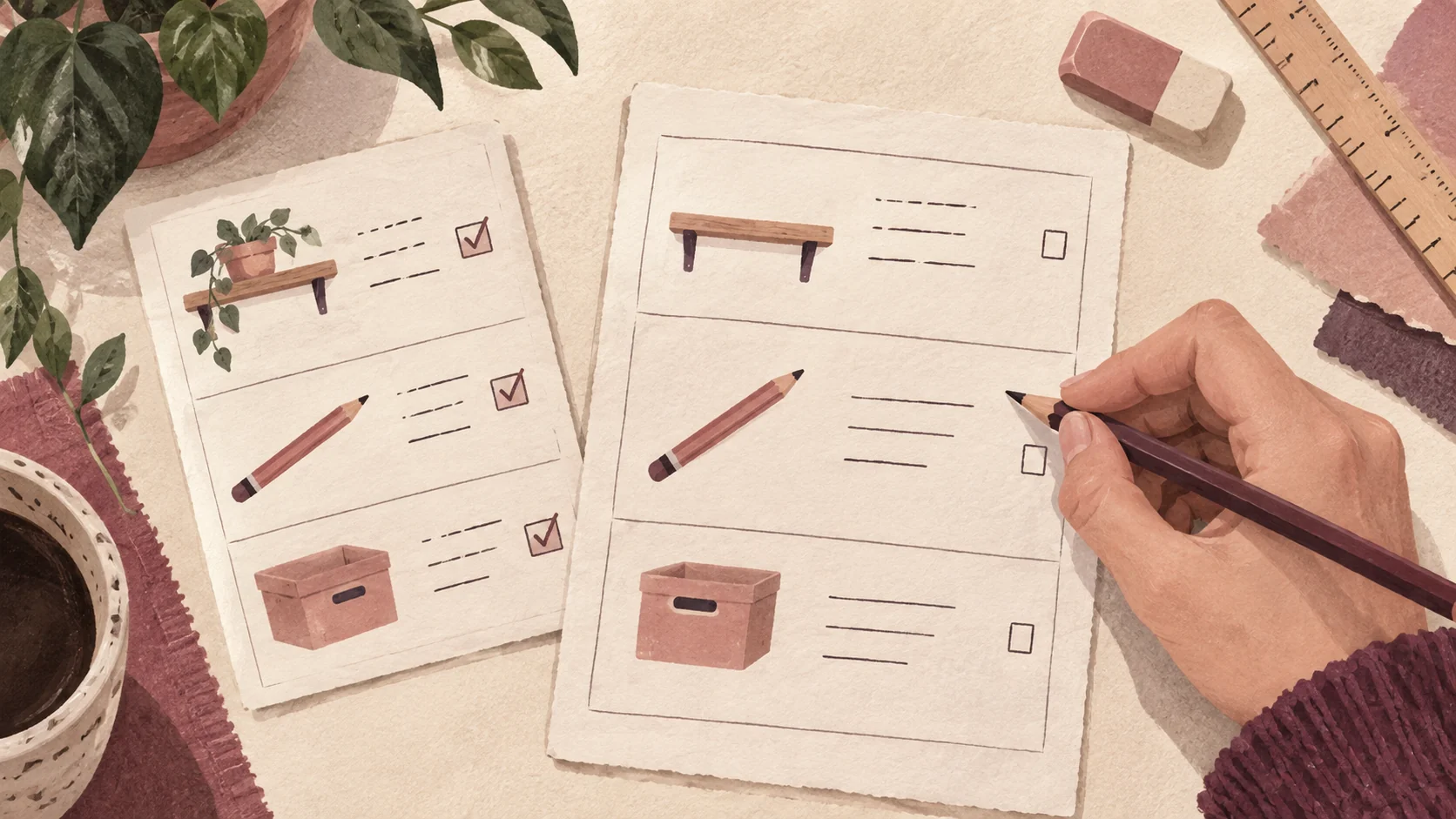
Generated editorial illustration of using a completed example while filling a worksheet. It is not a tested worksheet or an observed participant session.
“Plan a better weekend” is too broad for a small worksheet. “Choose one manageable household organizing project for the time you have available” is specific enough to design. The completed page should name a project, its boundary, the time available and the first action.
This article builds a fictional weekend project planner as an instructional example. It is not a tested behavioral intervention and does not promise productivity gains. You can use the blank version without supplying contact details.
The planner’s output is a decision, not a comprehensive inventory of someone’s life. That boundary keeps it from expanding into a lengthy questionnaire about goals, habits, motivation and every unfinished task.
Write the output sentence at the top of your working draft: “By the end, the reader will choose one project that fits their available session and name the first action.” Then test each proposed field against it. A favorite color does not affect this decision. A known time constraint does.
If you are still choosing what kind of resource to create, the lead magnet ideas guide covers formats and contexts. This is the next stage: making one worksheet perform its stated job.
Use inputs the reader can reasonably supply
Ask for observable facts and practical estimates. Explain how to proceed when an input is uncertain instead of forcing the reader to invent a confident answer.
For the weekend planner, useful inputs include a few candidate projects, the time available and any missing materials or dependencies. The reader can usually identify those without doing a separate research project.
An estimate is still an estimate. Ask for a rough duration and make that uncertainty visible. Do not create a scoring formula that turns a guess into a precise-looking recommendation. A simple fit check may be more honest and easier to use.
The planner should distinguish work time from waiting time. A project requiring someone else’s response may not fit a single afternoon even if the hands-on task is short. A missing tool may make a project unsuitable for the session without making it a bad project overall.
Use instructions beside the field they explain. “List up to three projects” belongs with the candidate area, not in a paragraph on a previous page. W3C’s writing guidance recommends clear instructions and simple language; apply those principles to the task labels.
Avoid collecting information merely because it might be interesting to the business. A worksheet intended to help the reader does not need their job title or budget unless those inputs genuinely change the output. Keep optional feedback or signup requests separate from the work itself.
Where a reader cannot estimate duration, offer a smaller version of the task or a short investigation step. “Find out what is in one drawer” can be a valid first project when “organize the whole room” is too uncertain.
The blank weekend project planner
Choose one bounded project, check its fit against the available session and write a first action that can be started without another planning exercise.
Copy the fields below into a document or notebook. The instructions form part of the worksheet; a blank box without a useful prompt leaves the reader to design the exercise themselves.
Available session: Write when you intend to work and the amount of time you can realistically protect. Leave a margin for setup and clearing away. This is a planning choice, not a guarantee that the session will unfold as expected.
Candidates: List up to three small organizing projects. Describe a visible finish, such as “sort one drawer into keep, relocate and discard groups,” rather than “get organized.”
Fit check: For each candidate, note the estimated work, any missing materials and any person or decision you depend on. Mark it “fits,” “shrink it” or “not this session.” Do not calculate a total score.
Chosen project: Name one candidate and explain briefly why it fits this session. If none fits, choose a smaller investigative step instead of pretending the schedule can absorb the whole task.
Boundary: Write what is included and what you will leave for another session. A boundary protects the project from expanding as soon as you begin.
First action: Write the first physical or digital action, such as “place the drawer contents on the cleared table.” Avoid abstract instructions like “be focused.”
Finish check: State what you will be able to see when the chosen scope is done. If you stop early, note the actual state and the next action; do not erase the difference between intended and completed work.
These fields should fit on a short page with room to write. If the layout forces tiny text or cramped answers, remove unnecessary decoration before shrinking the instructions.
A filled example shows the reasoning, not just the answer
Use one clearly labeled example to demonstrate the level of detail expected. Show why the chosen project fits and why the alternatives wait.
The example below is invented. Its durations are illustrative planning estimates, not observed task times or recommended standards.
The reader has a 60-minute session available on a weekend afternoon. They set aside 10 minutes for setup and clearing away, leaving a 50-minute working allowance. That subtraction is explicit: 60 minus 10 equals 50. Another reader should choose their own allowance rather than adopt this one automatically.
Three candidates are considered: sorting one stationery drawer, reorganizing all kitchen cupboards and identifying the contents of one box of old cables. The drawer has a defined boundary and no missing supplies. The cupboards are too broad for the estimated session. The cable box can be investigated, but decisions about unfamiliar cables may require help.
The chosen project is the stationery drawer. Its boundary excludes shopping for organizers and sorting the neighboring drawer. The first action is to clear a section of table and place the drawer contents there. The finish check is that the agreed groups have been handled and the drawer contains only the chosen items.
The point is not that stationery drawers are inherently easy. The example shows how a reader connects a particular scope with a particular session and notices assumptions. If the drawer turns out to contain documents requiring review, the reader should revise the plan rather than treat the worksheet as an instruction to rush.
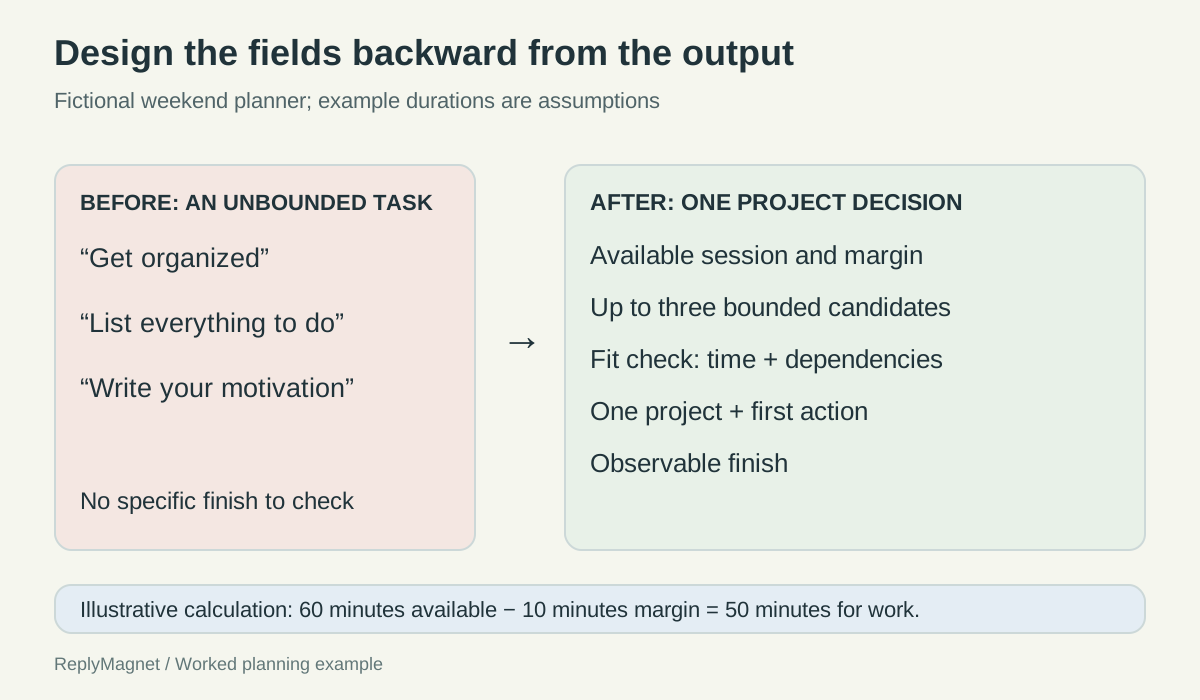
Original worksheet redesign diagram. The durations are invented planning assumptions, and the worksheet has no claimed behavioral results.
Filled fictional fit check. Time estimates illustrate the method only.
Candidate
One stationery drawer
- Estimated work and dependency
- About 30 minutes; materials already available
- Decision
- Fits the 50-minute allowance
Candidate
All kitchen cupboards
- Estimated work and dependency
- Scope and duration uncertain
- Decision
- Shrink to one cupboard or defer
Candidate
One box of cables
- Estimated work and dependency
- Initial inspection fits; identification may need help
- Decision
- Possible investigation task, not full completion
Check the output with a completion rubric
Judge whether the worksheet produced a usable plan, not whether every box contains words. A partially completed page can reveal a missing decision worth resolving.
A completion rubric is a short set of questions about the output. It is not a score for the person using the worksheet. For this planner, five checks are enough:
- Can the reader point to one chosen project?
- Is the project boundary specific enough to distinguish it from a larger task?
- Does the plan acknowledge the available time and any important dependency?
- Is the first action concrete enough to begin?
- Does the finish check describe an observable state?
If the answer to one question is no, revise the relevant field or instruction. Do not add a motivational paragraph to compensate for a missing operational detail.
For example, “organize my desk” fails the boundary check. “Sort the top-left drawer, leaving paperwork for a separate session” is more precise. “Start working” fails the first-action check; “clear the table beside the desk” is something a reader can do.
An output can also be “this project is not ready because I need information from someone else.” That is a legitimate decision. The worksheet should help the reader identify the next information-gathering action rather than reward an unrealistic commitment.
Keep the rubric near the completed example or at the end of the blank worksheet. It lets readers check their own work without depending on the creator to review every page. Avoid turning it into a contact-capture requirement.
Test the blank version and remove the fields that stall it
Observe someone using the worksheet without your explanation. Revise the points where the instructions, examples or inputs fail to support the intended decision.
Give a person the blank worksheet and a realistic task: choose a small project for a session they actually have available. Let them work without narrating what each box is supposed to mean. Your explanations can hide weaknesses in the page.
Record where they pause, what they write and what they believe the final output should be. If they ask whether “duration” includes preparation, the instruction needs clarification. If they list ten projects despite the intended limit, inspect whether the prompt and layout made the boundary clear.
GOV.UK’s moderated usability testing guidance supports observing people attempting realistic tasks. A small informal exercise can reveal wording problems, but it does not establish broad effectiveness or a guaranteed outcome.
Test the blank version separately from the filled example. A reader may understand the completed example while still being unable to supply the requested inputs for their own situation. If that happens, add a prompt or reduce the task; do not simply make the example longer.
After the test, ask which fields changed the final decision. Remove fields that created work without influencing the output. Keep necessary constraints even if they are less visually attractive than a large goal-setting box.
Finally, check that the delivery description matches the resource. Promise a short project-planning worksheet, not a complete transformation. The delivery guide covers getting the resource to the reader. The worksheet itself should justify that attention by helping them reach the specific decision it promised.